
How to Order Online
Online orders may be picked up at Windy N Ranch at our scheduled pick up times or every other Saturday at our Bellevue drop site (12515 Bel-Red Rd., Bellevue, WA 98005) between 11 a.m. and 12 p.m. Here’s how to order.
Once you’re in the online store, select the item you wish to purchase to open details.
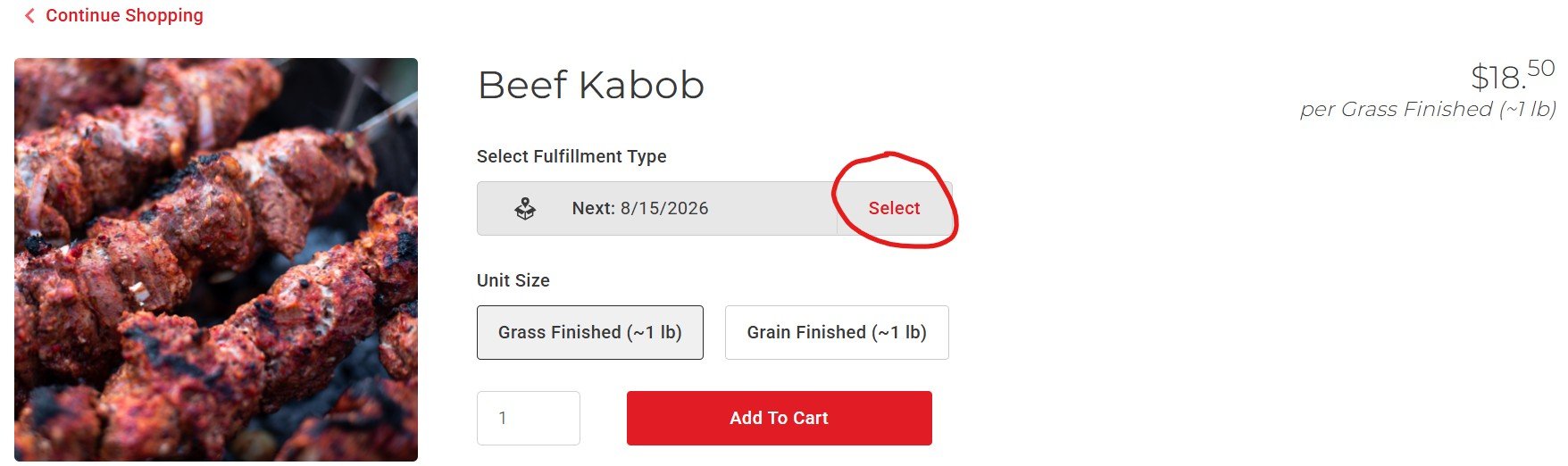
Click “Select” under Fulfillment Type.
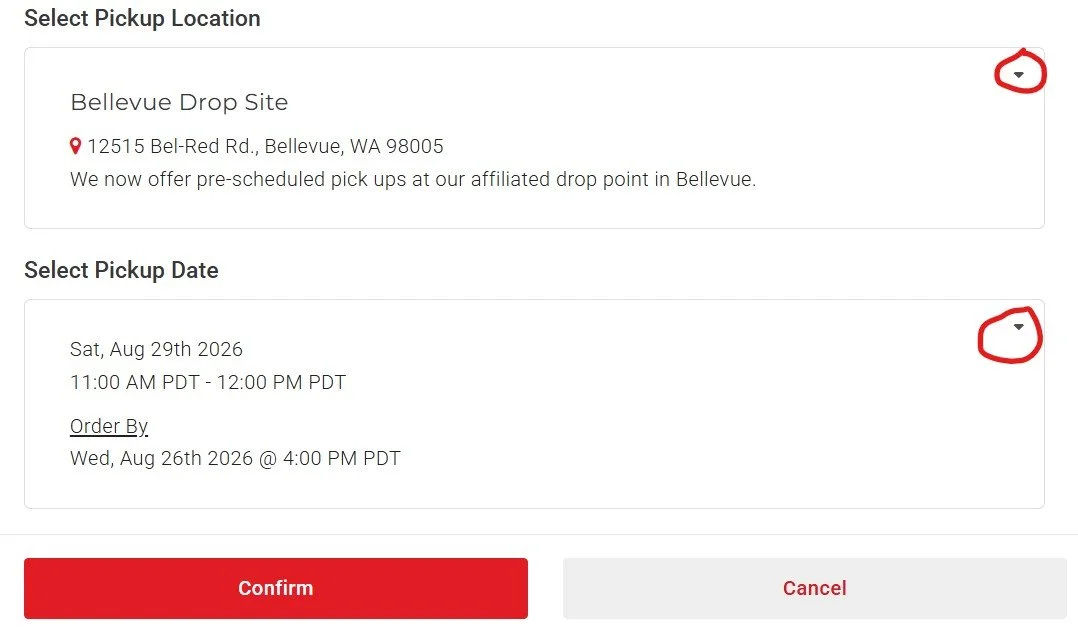
3. Use the drop down arrows to select either Windy N Ranch or Bellevue as your pickup location, select a pickup date from the available options, then click “Confirm”.
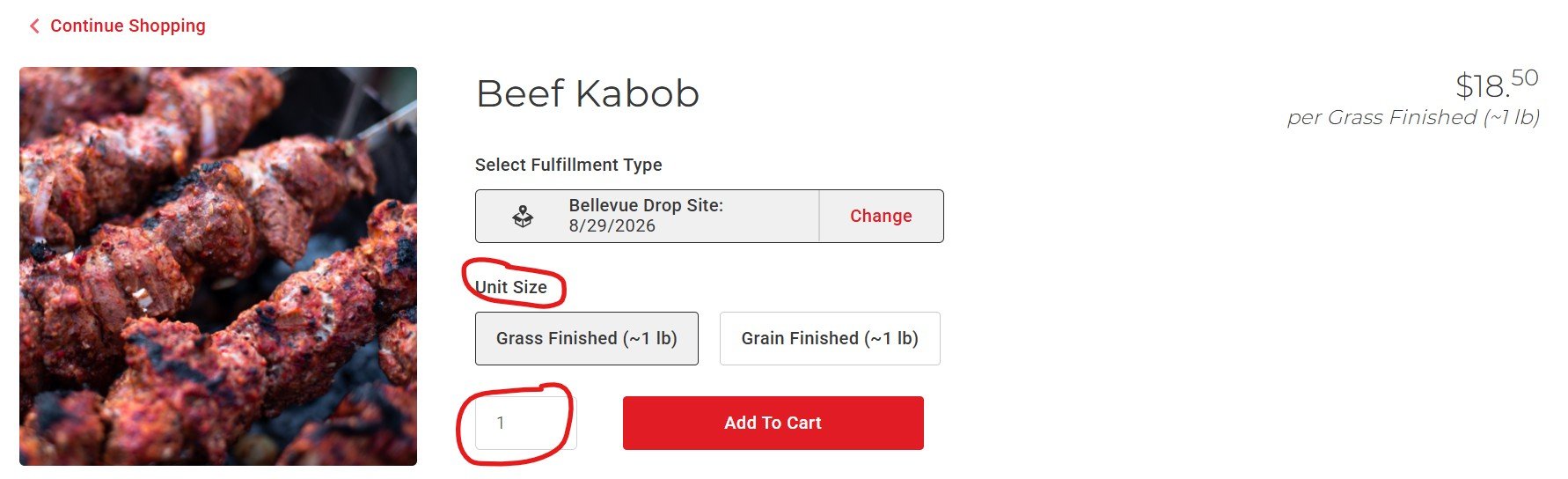
4. Select your preferred size or type from the available options, enter a quantity and “Add to Cart”.
5. Click on the cart in the upper right corner to review your order details.
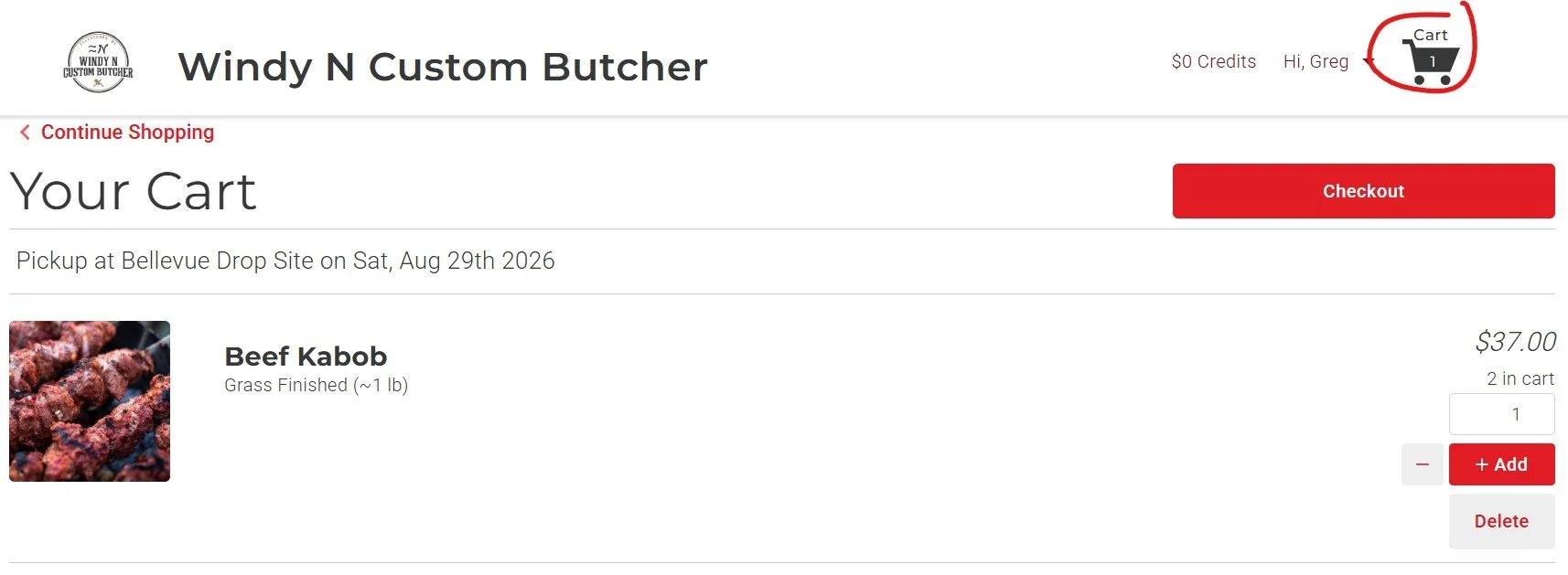
6. Once you click on checkout, follow the prompts to enter billing info. Here you can also enter a promo code or leave a friendly note about your order.
Have questions or need help placing an order? Give us a shout! Email Lisha@windyncustombutcher.com or call (509) 607-9051.